
Electromagnetic geophysics in Python — built for CSAMT surveys.
Capabilities
Everything an EM survey needs
From raw field files to interpreted resistivity sections — each stage is a documented, tested module you can use on its own or chain into a reproducible pipeline.
Data I/O & quality control
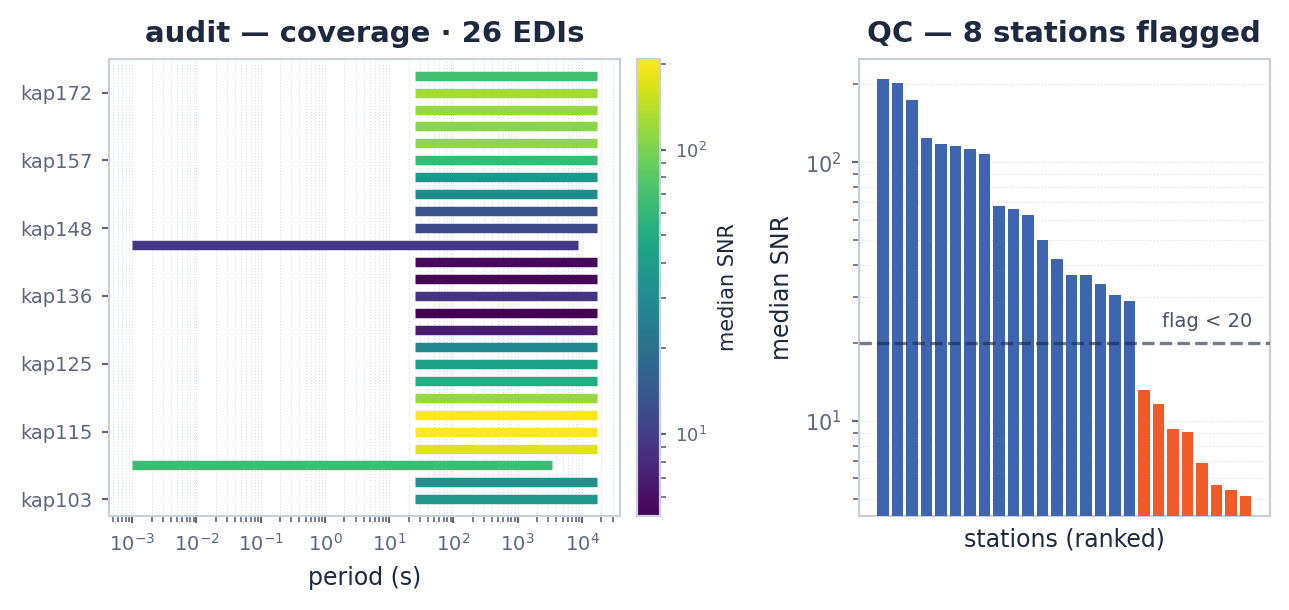
Load EDI, Zonge AVG, Jones J, TDEM, and MARE2DEM files into one site model. Inspect frequency coverage, flag noisy stations, and audit usable data before any processing step.
Processing & corrections
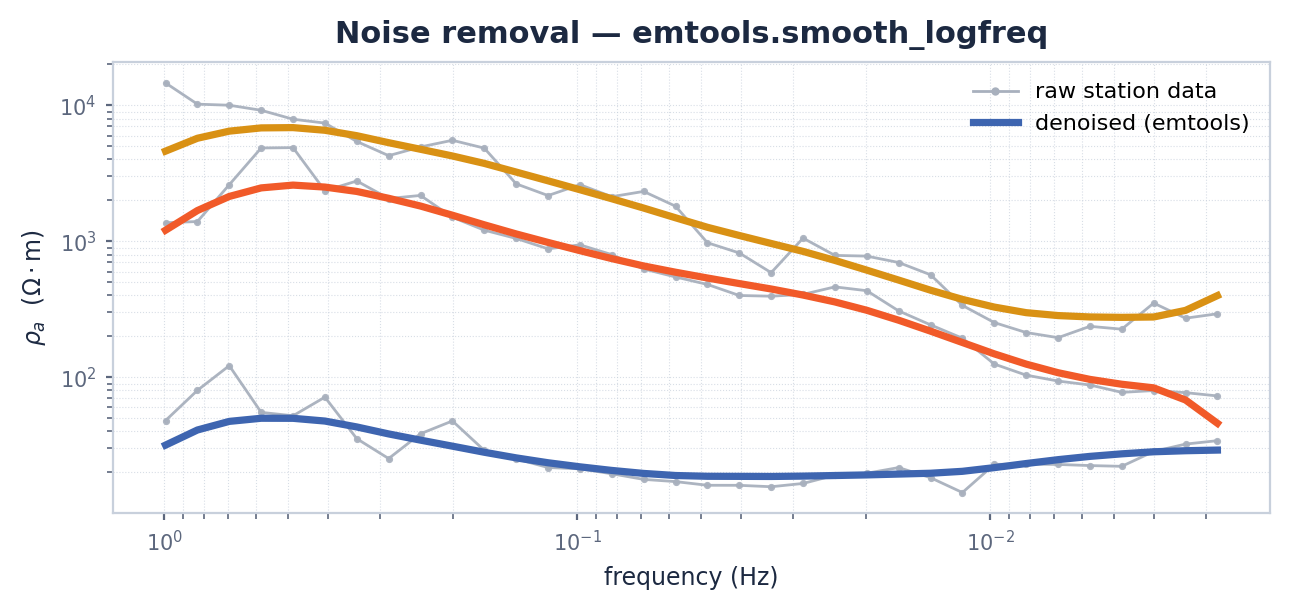
A catalogue of 25 correction methods in six categories: notch filtering, static-shift removal, tensor rotation, phase-tensor analysis, and more.
Forward modelling
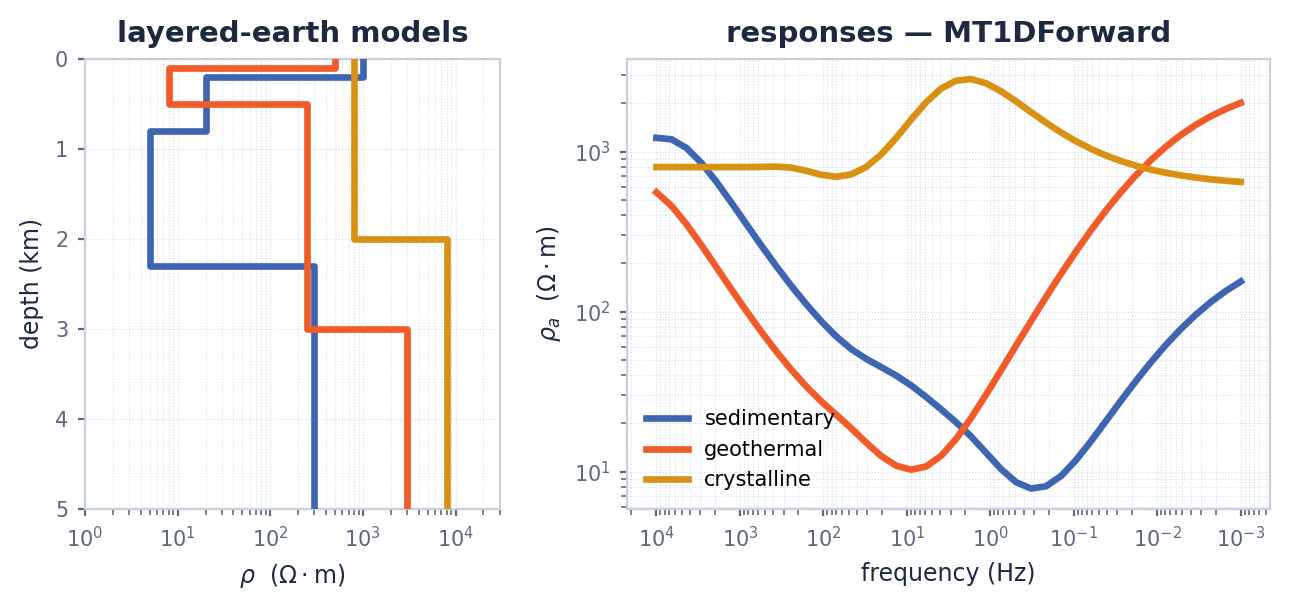
Build synthetic layered-earth and 2-D models, compute forward responses, add realistic noise, and generate datasets for survey design or inverter training.
Inversion — classical & AI
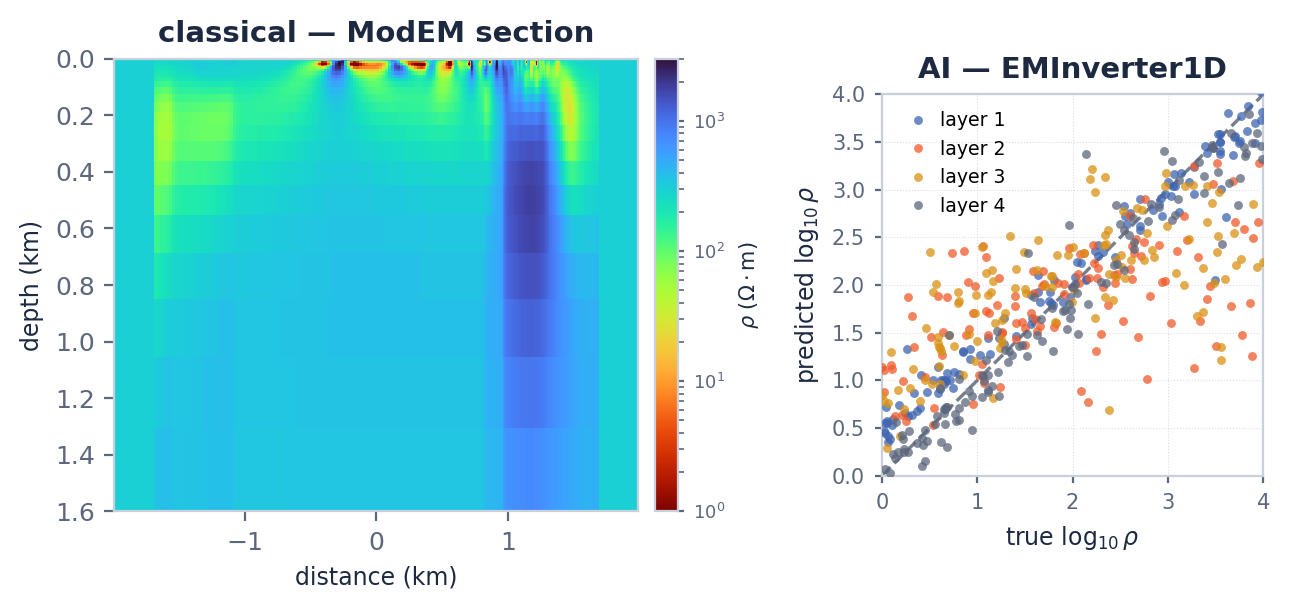
Drive Occam2D, ModEM, and MARE2DEM end to end — input builders, runners, result loaders — or switch to physics-informed neural networks and hybrid deep-learning inverters in 1-D to 3-D.
Interpretation & mapping
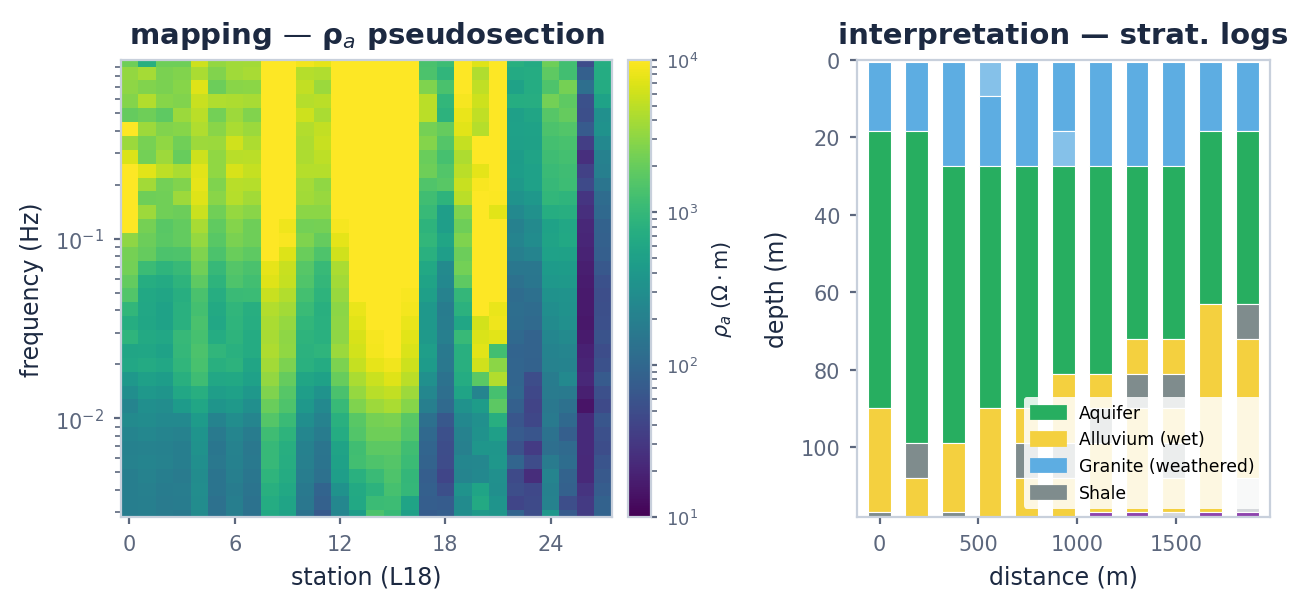
Classify resistivity, derive pseudostratigraphic logs, and render station maps, pseudosections, overlays, and 3-D quick-look views with the code-first MapView platform, plus uncertainty layers for reporting.
Pipelines, agents & apps
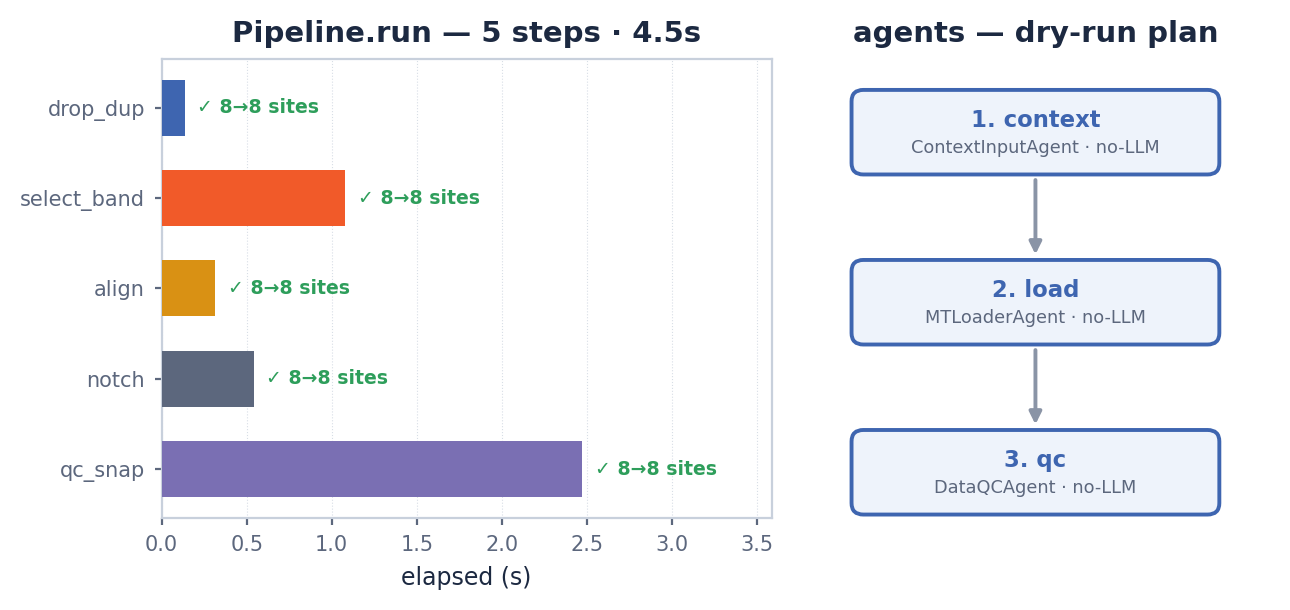
Define reproducible workflows in YAML, JSON, or Python; let LLM-driven agents orchestrate QC, inversion prep, and reporting; or work interactively in the web dashboard and desktop GUI.
Code in action
A consistent API, from QC to report
Estimator-style objects, named pipeline steps, and one-call plotting — the same patterns across processing, inversion, and interpretation.
from pycsamt.api import read_edis
from pycsamt.emtools import build_qc_table

sites = read_edis("data/edi/")
qc = build_qc_table(sites)     # station coverage, SNR, skew
print(qc[["station", "n_freq", "snr_med"]])
from pycsamt.pipeline import Pipeline, Step

pipe = Pipeline([
    ("notch",        Step("NR001", mains_hz=50)),
    ("band",         Step("FREQ001")),
    ("static_shift", Step("SS001")),
    ("rotate",       Step("TZ001")),
])
result = pipe.run(sites, outdir="outputs/run01/")
print(result.summary())
pipe.to_yaml("pipeline.yaml")       # share the exact chain

from pycsamt.pipeline import Pipeline

rerun = Pipeline.from_yaml("pipeline.yaml")
result = rerun.run(sites, outdir="outputs/run02/")
print(result.ok, f"{result.elapsed_sec:.1f}s")
from pycsamt.models.mare2dem import make_mt_data_from_edi

make_mt_data_from_edi(
    "data/edi/L22/", "runs/demo_mt/L22.emdata",
    output_modes="all",
    error_floor_te=0.05, error_floor_tm=0.05,
)
from pycsamt.models.mare2dem import (
    InversionResult, PlotResponse, PlotModel,
)

result = InversionResult("runs/demo_mt/")
PlotResponse(result).plot(max_rx=6, savefig="response.pdf")
PlotModel(result).plot(cmap="turbo_r", savefig="section.pdf")
from pycsamt.forward.batch import generate_dataset
from pycsamt.ai.inversion import EMInverter1D

ds = generate_dataset(n_samples=2_000, n_layers=5, seed=0)
inv = EMInverter1D(arch="resnet", n_layers=5)
inv.fit(ds, epochs=30)
from pycsamt.ai.inversion import PINN2D

inv = PINN2D(n_layers=64, epochs=3000, backend="torch")
model = inv.fit(sites, frequencies=freqs)
model.plot_section()
from pycsamt.ai import EnsembleInverter

ens = EnsembleInverter(inv, n_estimators=8)
mean, std = ens.predict_with_uncertainty(ds.X)
from pycsamt.agents import AgentMaster

master = AgentMaster(provider="anthropic")
report = master.run(
    "Load data/edi/, flag stations with RMS > 2, "
    "build an Occam2D input for profile L22, launch "
    "inversion, and produce a PDF report."
)
from pycsamt.agents import MTLoaderAgent, DataQCAgent

loaded = MTLoaderAgent().execute({"path": "data/edi/"})
qc = DataQCAgent().execute({
    "sites": loaded["sites"],
    "output_dir": "outputs/qc/",
})
print(qc.summary)
from pycsamt.agents import WorkflowOrchestratorAgent

agent = WorkflowOrchestratorAgent()
plan = agent.execute({
    "request": "QC the EDI files and prepare a short report",
    "data_path": "data/edi/",
    "dry_run": True,        # preview the chain first
})
print(plan["workflow_type"], plan["reasoning"])
pycsamt survey set data/edi/
pycsamt edi info data/edi/
pycsamt invert build data/edi/ --solver occam2d --workdir runs/occam2d/
pycsamt pipe run --config pipeline.yaml --survey data/edi/ --out outputs/run01/
import numpy as np
from pycsamt.iot import EdgeProcessor, simulate_amt_station

station = simulate_amt_station("S01", n_samples=1024, seed=7)
block = np.column_stack(list(station["data"].values()))
edge = EdgeProcessor().process(
    block, channel_names=["ex", "ey", "hx", "hy"],
)
print(edge.decision, edge.reasons)
from pycsamt.iot import (
    FieldSession, plot_field_dashboard, simulate_iot_network,
)

session = FieldSession("survey-2026", method="amt")
session.add_packets(simulate_iot_network(n_stations=12, seed=7))

status = session.assess()             # edge-QC + health roll-up
plot_field_dashboard(session)         # live acquisition dashboard
inputs = session.to_pipeline_input()  # hand off to processing
from pycsamt.iot import EnergyConfig, estimate_energy_budget

budget = estimate_energy_budget(EnergyConfig(
    battery_wh=84.0, active_power_w=1.2, duty_cycle=0.5,
    solar_wh_per_day=20.0, telemetry_power_w=2.5,
    telemetry_seconds_per_day=300.0,
))
print(budget.state, budget.runtime_days)
Interfaces
Work the way you prefer
The same engine behind four front ends — script it, automate it, or point and click.
News
-
v2.0.0
pyCSAMT v2 released
Ground-up rewrite: pipelines, AI inversion, agents, web and desktop apps.
-
Docs
Release notes & roadmap
v2 documentation is under active construction — APIs may change before the stable release.
-
Log
Full changelog
Every change, version by version.
Community & citation
Documentation map